Creating Column Filter on a VBCS Table using ListDataProvider(LDP)
In this blog we will create filter functionality for a table using ListDataProvider (LDP).
- Create an ADP based Table in VBCS based on any Data Source
- For this example, I will use a JSON file as Data Source and create an ADP based table for the same

- Create textboxes on top of columns which will act as filters for the columns
- Create 5 textboxes on top of each column to act as filters
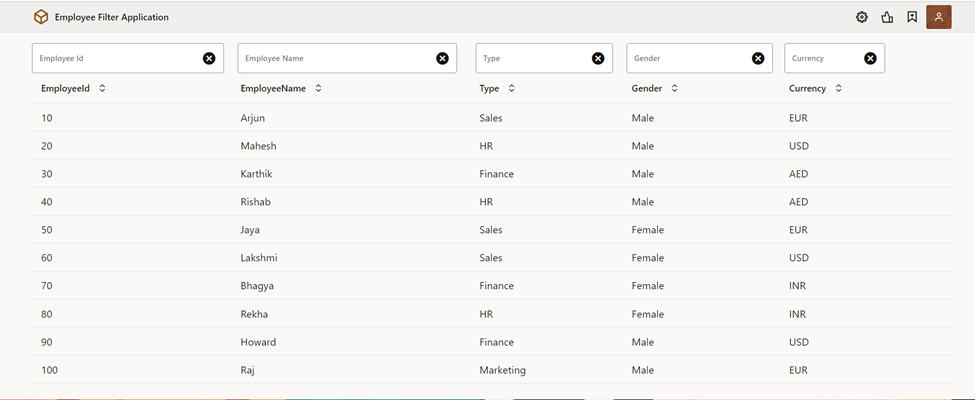
- Create searchObject variable and map all filter text values to it

- Convert the ADP to ListDataProviderView
- Create function to convert ADP to ListDataProviderView

- Call custom function getListViewProvider , it takes a custom ADP and filter Criteria as parameters, on Page all data are shown hence filter criteria passed will be null
- Call on vb-Enter event and assign the same to oj-table data


- Assign a single value change event for all the filter fields
- Call custom function getFilterCriterion to get filter criteria for ListDataProviderView


- Filter the ListDataProviderView based on the filter criteria

- Run the Ui to see if Filter search is working for all fields or not


Comments
Post a Comment